Test Lab — prove the agent before you trust it
Replay known cases or validate changes in an isolated live test environment.
Concept · Updated 2026-10-19 · Describes release 0.1.164
Why the Lab exists
Before an AI agent touches a production incident, you want a number: how often does it find the real root cause on faults where the answer is known? The Test Lab is where that number comes from. It provisions a realistic microservice estate onto a cluster you connect, breaks it in documented ways, lets the same agent pipeline you use in production investigate, and grades the result against the fault it actually injected.
Nothing in the Lab is simulated on the agent's side: real alerts fire from a real Prometheus, real incidents open, the agent runs the same tools and guardrails as production. Only the faults are scripted.
A twin under the hood, one page in front
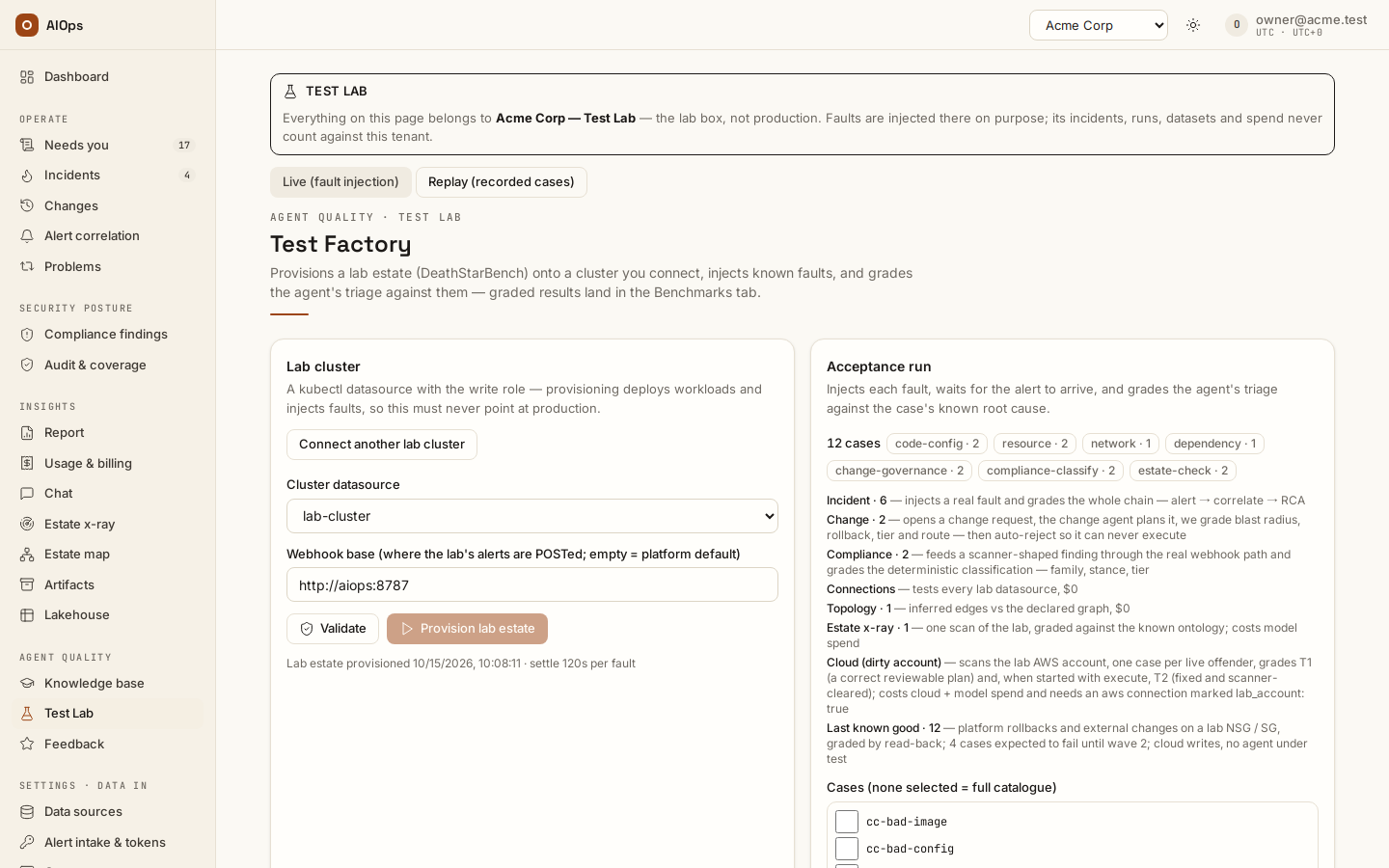
Under the hood the Lab is a twin of your tenant — that isolation is what keeps
lab incidents, spend, webhooks and datasets out of your production views and
reports. You never switch into it: the Test Lab page in your own workspace
addresses it, and so do the pages a graded run drills into from there — the
incident, change, artifact or finding behind a case, and the lab cluster's
datasource — all under /lab/…, each headed by the box's name so a lab
incident can never be mistaken for a production one. Lab page links explicitly say Lab connections, Lab incidents, Lab changes, Lab discovery, Lab knowledge or Lab artifacts. The main Operate and Settings · Data in entries return to your operational workspace. Check the workspace banner before taking an action.
How a run works
flowchart LR
  P[Provision<br/>lab estate] --> I[Inject fault<br/>chaos / kubectl / webhook]
  I --> A[Estate alerts fire<br/>Prometheus / Loki / Tempo]
  A --> C[Incident opens<br/>same pipeline as production]
  C --> G[Agent investigates<br/>same tools and guardrails]
  G --> V[Grade vs known<br/>root cause and fix]
  V --> H[Heal fault<br/>estate back to green]
  H --> I
  V --> B[Benchmarks tab<br/>pass rate and cost per case]
Each case in the catalogue declares the fault to inject, the alert it expects the estate to raise, and the ground truth (root-cause service + the fix mechanism the agent must name). The grader accepts mechanism answers — "raise the memory limit" — and rejects verdicts that name the wrong service, so a pass means the agent named the declared service and fix mechanism. See How grading works below for the matching rules.
The Progress panel is the tuning loop made visible: every acceptance run lands as a point, with the note recorded when it was launched. Halted or partial runs render as partial points and subset runs as detached dots — the line only ever connects full-catalogue runs, so the trend is never flattered by an easier sample.
Choosing lanes
An acceptance run is made of lanes, and the chips above Run selected
pick which ones run. Incident, Change and Compliance are the
graded catalogue and are on by default. Connections tests every lab
datasource and Topology compares the inferred service graph with the
declared one — both are deterministic and cost $0. Estate x-ray runs one
scan of the lab and grades it against the known ontology; it spends model
budget, so it stays off until you switch it on. With every lane on, the run
is the full catalogue and lands on the trend's full-catalogue line; with
fewer, the lab launches one lane per request, one after another, and the
status line lists what is still queued. The queue survives a tab switch or a
reload but only advances while this page is open, and a lane that ends
cancelled, halted or failed clears it — the next fault injection never fires
on its own. Ticking individual cases in the list overrides the chips.
Results import as suites factory-connections, factory-topology,
factory-xray and factory-cloud (the dirty-account lane, off by default and
refused unless every cloud connection of the lab workspace carries
lab_account: true) next to the existing ones.
The safety-net lane on the lab's cloud account
Last known good measures the safety net on the lab's own cloud account, case by case:
- platform — the platform deletes or creates a rule on a lab network security group and rolls it back, checked by reading the rule back;
- external — changes made outside the platform are harvested, shown on the incident's Last known changes card and reverted through a drafted plan, read back the same way;
- reported — a change a webhook reports is listed but never restored;
- cause — a lab alert, sent the way its source sends it (generic, CloudWatch or Azure Monitor), after real or webhook-reported changes on lab rules, decoys included (a tag edit, a refused call, an older or unrelated change, a change during the error): the error start, the healthy boundary and the breaking change's rank on the Probable cause card are graded, and the revert of that one change is drafted — or refused with its reason when there is no before-state to restore (a webhook report, a rule the change created);
- record — a fix on a lab rule is verified and its incident resolved: its last-known-good record is graded, a return of the same alert marks it did not hold, and a fix that did not hold twice is not a good state.
It writes to the cloud and grades no agent — the ranking and the record are
fixed code — and it is off by default; its chip says why when the lab is not
ready (every cloud connection marked lab_account: true, a tested write
connection, the lab fixtures set once by the platform operator). Cases that
wait on a later wave are marked expected to fail and shown as skipped.
Cloud and
Last known good run on the lab's cloud account in their own loop, so they
need no provisioned cluster, and with every lane on they are queued behind
the full-catalogue run instead of inside it. Results import as
factory-lkg.
Live vs Replay
| Tab | What runs | What it costs | What it proves |
|---|---|---|---|
| Live (fault injection) | Real chaos on the lab cluster, full pipeline | Cluster + model spend per case | End-to-end: signal → incident → triage → fix |
| Replay (recorded cases) | Recorded evidence bundles, no cluster needed | Model spend only | The reasoning layer alone, repeatable and cheap |
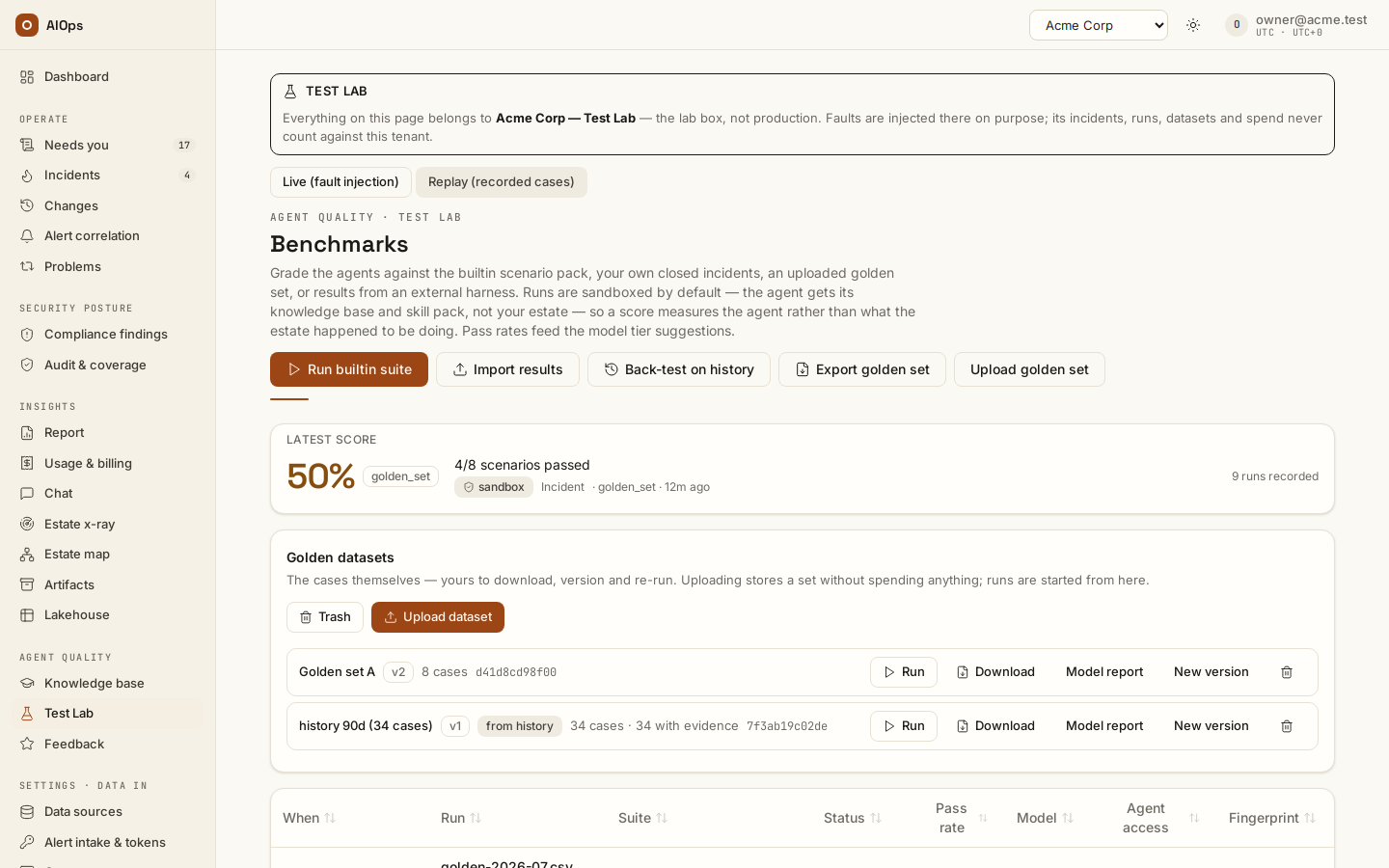
Replay datasets are first-class: harvest a finished live run into a golden dataset, version it, and re-run it against a different model or prompt without touching a cluster. Rates across different case sets are never comparable — the UI refuses to draw them as one line.
The Replay page itself — golden datasets, the builtin suite, back-tests on your own history, uploads, the gate and how a case is graded — is covered in Benchmarks and scores.
Replay also takes cases from the change agent's own history — pick the change agent on Back-test on history: completed changes a validation cleared, and changes rolled back or failed with a recorded reason (Back-test the change agent on its own changes) — and from months past the retention window, built on the Archive page (Back-test from the archive).
Connect the lab cluster
On the Live (fault injection) tab, under Lab cluster, choose Connect lab cluster (or Connect another lab cluster). The existing connection form opens on Kubernetes with the write role selected. Paste a dedicated lab kubeconfig and save. Return to lab validation brings you back to Validate and the provisioning review; saving a connection does not verify its permissions or prepare the estate.
A sole eligible connection is selected automatically when there is no selection. With multiple connections, select the intended disposable cluster. Tests are enabled only when that selected connection is the enabled, provisioned lab target. Changing the selection does not make another cluster ready.
Safety rails
- The lab cluster is a write-role kubectl datasource: that role is excluded from every agent registry by construction, so no agent — lab or production — can ever see or use the credential. Only the deterministic factory engine shells out with it.
- Creating the lab workspace needs
members.manage. Connecting, validating, provisioning, changing guards and teardown needdatasources.manage; launching or cancelling live runs and replays needsbenchmark.manage. Reading results and certifying a run needsbenchmark.view. - On Kubernetes 1.30 or later, an admission policy refuses the chaos engines' own Events in the lab estate namespaces. On older clusters, each case purges those Events while it runs. This keeps the event stream from naming the injected fault; it does not hide every change to a target pod.
- Between cases the lab heals, waits for pods to be Ready and polls the case's own alert keys until quiet. Before injection, a still-firing key sends the case to the back of its lane, at most twice; after that it runs with a residue-risk flag. Only an incident opened at or after injection, by an alert that also started at or after injection, can be graded for that case. Cancelling during this wait prevents injection.
- A pre-flight check confirms the agent can list pods in every lane
namespace. A gap is a
WARNING pre-flightin the run log, never an abort. - Injections deliberately do not write change records: the graded agent
reads
change_lookuplike any other, and a ledger row saying "chaos injected on rate" would leak the answer to the exam. - Budgets guard every run: a per-run cap and the tenant's daily cost limit both halt the factory between cases, never mid-fault, and every fault has a heal step that boot recovery re-applies even after a crash.
How grading works
Grader v2 reads hyphens and underscores as word separators and matches
regular plurals. For a service-name ground truth, the asserted
root_cause_service decides when the wrap-up carries that field; an empty
field is no service answer. For a wrap-up without that field, the grader
reads affirmed root-cause prose. A free-text ground truth can match an
affirmed mention across the field and prose, or at least half its significant
tokens.
For the fix, the grader reads proposed_fix, remediation-plan steps,
commands and manual_commands. It checks the case's declared action keys
when present; otherwise the full expected action or at least half its
significant tokens must match. Significant tokens have at least four
characters, plus selected three-letter technical terms such as DNS, TLS and
CPU; the fallback token check ignores the service name and
generic operations nouns. Naming one stray keyword does not establish the
fix mechanism.
Each case scored by this grader records its version. The certificate names that grader; older unstamped results from this grader count as v1. Compare and its automatic baseline use matching grader versions; explicitly choosing a baseline across versions returns 409. The model report uses the newest recorded grader version and leaves older graded runs out (v1 runs are omitted when v2 runs are present). The fingerprint, dataset hash and grader version together identify what was measured.
Reading the numbers
A run's score is three numbers, not one:
- Raw pass rate — passes over the full catalogue. The honest headline.
- Gradable rate — passes over cases that produced a signal at all; the gap to raw is the harness, not the agent.
- Clean-set rate — passes over cases where the declared alert arrived and evidence was complete; this is the agent's actual capability, and the number to watch when you change knowledge or prompts.
A case whose investigation the platform never started (still queued when
its incident cleared) is FAIL, counted in the denominator with failure
mode not_started. The run log and report print a rate without these cases
as information only; it never replaces the verdict. The failure-mode strip
covers the incident lane only and shows these cases as their own not
started segment; the run's result line also says how many never started.
A case with an injector-readable target pod is graded and counted normally. The report also gives the rate without those cases as information only; the event guard does not conceal a Chaos Mesh pod-failure's pause image or pod annotations.
Every run keeps the note you attach at launch ("what changed"), its cost and its per-case verdicts, so the Benchmarks tab can certify a pass rate with a re-verifiable bundle rather than a screenshot.
On the overview
The tenant overview carries one Test lab row when a lab box exists: active investigations and x-ray scans on the box, the last fault-injection run and its pass count, and the box's LLM spend today. The numbers are the box's own — they never fold into the production tiles above them — and the row links to /lab.
What this lab is made of
The Test Lab page lists everything provisioning installs on the lab cluster — estates, observability stack, RBAC, optional extras — straight from the manifests it applies, plus what is deliberately not installed. After a cluster check it marks each planned namespace present or missing and counts the hotel shards it saw, so the shape of the estate is on screen before a run, not reconstructed from a failed one. A run's log also opens with a warning naming any shard without a storefront probe.