Connect and verify your first read source
English narration and captions for your first read connection.
Walkthrough · Updated 2026-10-17 · Describes release 0.1.164
A walkthrough with English narration and synchronized captions, recorded on the restored portal with sample data. This demonstrates the interface; it does not establish a successful real-cloud connection or repair. It moves through the start page, the data source list, the connect form, separate or shared credentials with explicit execution consent, connection-check limits and estate discovery. It is a guided tour of those screens, not a click-by-click tutorial, and nothing is executed against an estate in it.
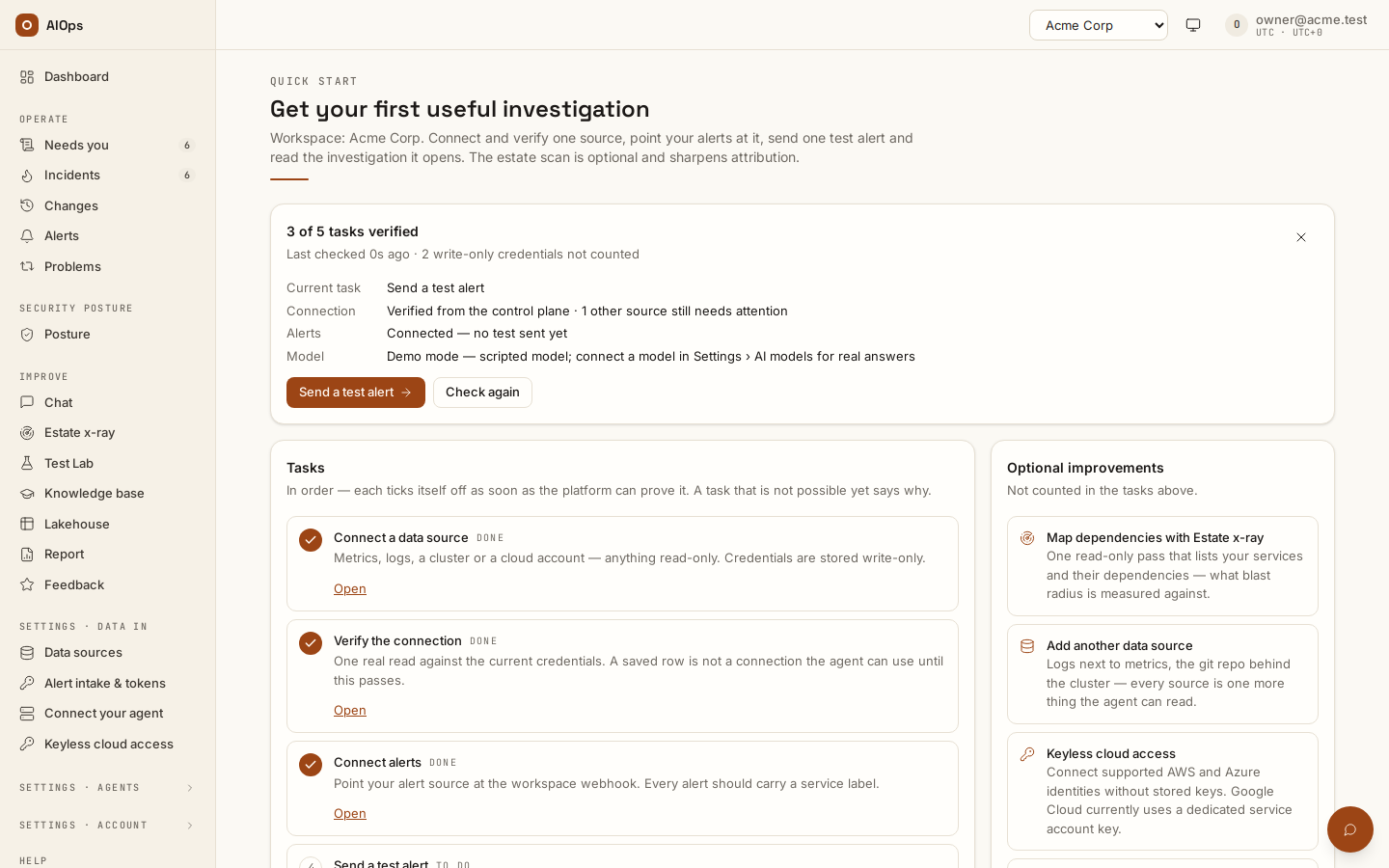
Video: Connect and verify your first read source — Watch (1 min) · Captions · Transcript
Recorded 16 Sep 2026 on 0.1.74 — the page has changed since; see Manage connections.
Transcript
0:00 — Start with read-only access. The platform investigates your estate and keeps infrastructure changes behind approval.
0:09 — Data sources lists every system this workspace can talk to.
0:14 — Choose your provider and authentication method, then enter its connection details.
0:19 — Use separate credentials for investigation and approved changes, or share one credential with explicit execution consent. Investigation remains read-only.
0:29 — A connection check proves only the access it tested. Each change still needs its own reviewed plan and approval.
0:37 — Estate discovery records what it can verify from the connected source.
The five written steps are in Start here. The fields and failure messages are in Manage connections, the roles in Read and write roles.