Review execution in Changes
The change request behind a fix, changes captured from your cloud audit log, the compliance check a change triggers, and suppressing a flagged resource.
How-to · Updated 2026-10-28 · Describes release 0.1.164
A fix the platform runs is recorded as a change request: its class, tier, scope, approvals, blast radius, execution receipt and verification live under Operate → Changes. This page reads that record, the changes captured from your cloud audit log, the compliance check a change triggers and how a flagged resource is suppressed. Releasing a fix from the incident is Approve and run a fix; the ledger's exact fields are in Changes reference.
Review execution in Changes
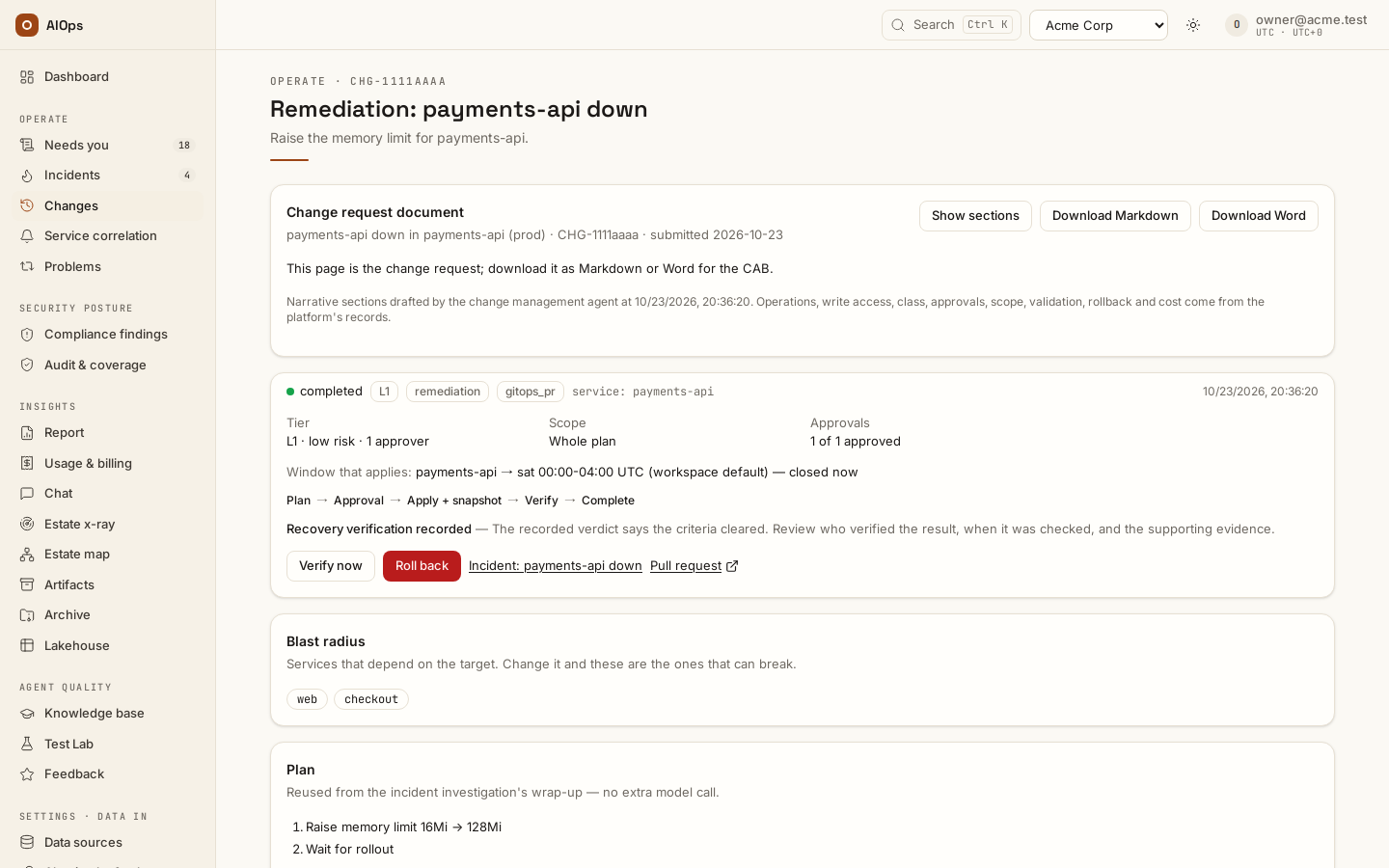
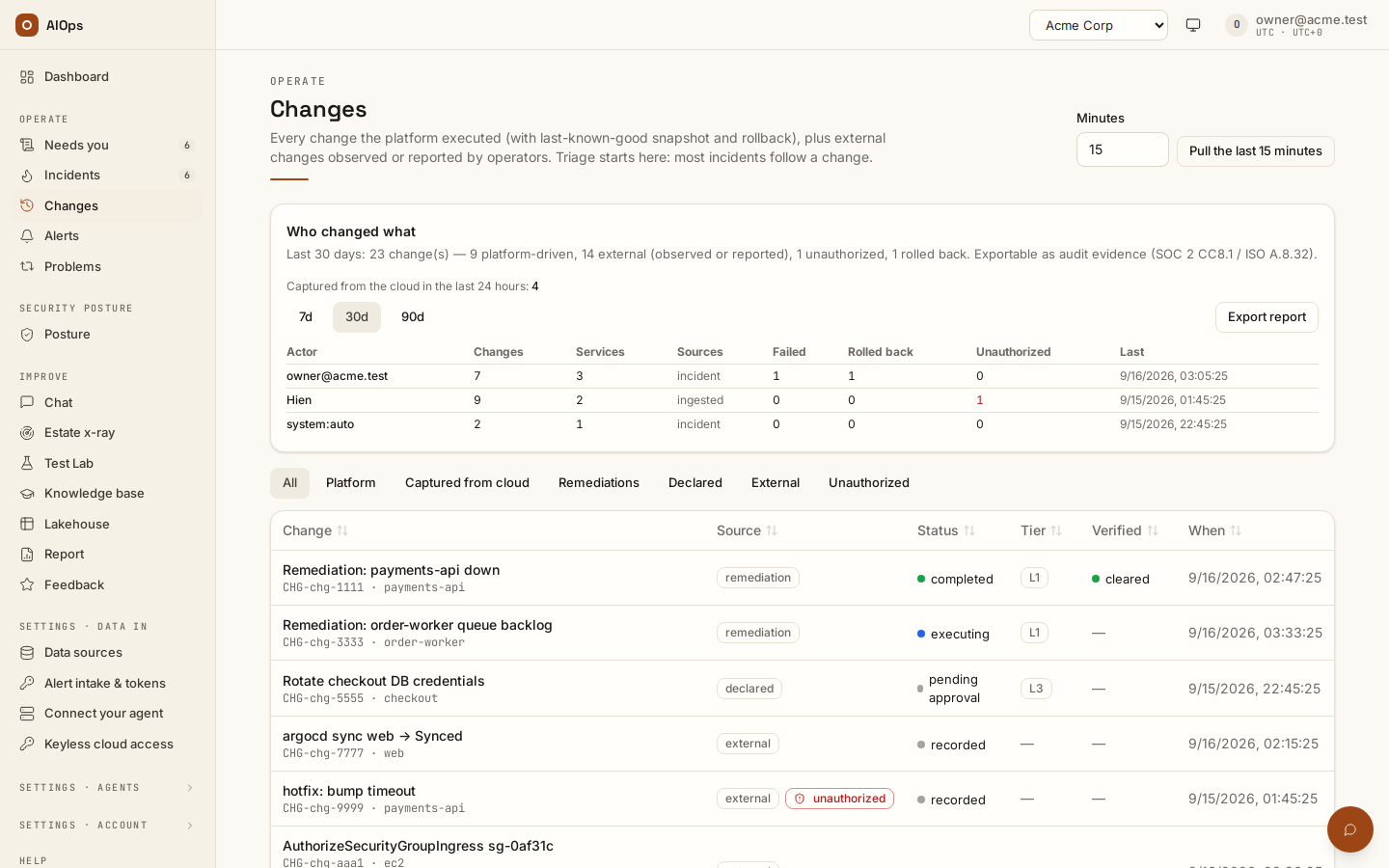
A walkthrough with English narration and synchronized captions: the change ledger, one change's plan, the checks it must pass and its blast radius, and the recorded verification result. It is a guided tour of those screens, not a click-by-click tutorial, and nothing is executed or rolled back in it. Recorded on the restored portal with sample data; these clips demonstrate the controls and do not prove real-cloud operation.
Video: The change ledger, a change's plan and recorded verification — Watch (1 min) · Captions
Recorded 16 Sep 2026 on 0.1.74 — the page has changed since; see Review execution in Changes.
Every analysis that proposes a fix drafts a change request for it. Until someone requests approval (status planned) the Changes list leaves it out; turn on Proposed to show those requests in the list, with any filter. The page is the change request: it opens with the Change request document card (Download Markdown / Download Word give it to the CAB), then answers four questions in four cells. Class: Standard — runbook route (with Standard change for a runbook route's operations on, the default: a pre-approved remediate-… route declares every operation of the fix and each one is a pre-approved operation — even at P1, released under the standard rules), Standard — pre-approved runbook (only with that switch off: a runbook matched — the analysis read a skill other than the six process skills — and every typed step is one of the workspace's pre-approved operations), Normal — runbook withdrawn (the runbook was demoted, disabled, uncertified or edited before the request was released; Emergency — runbook withdrawn at P1), Standard — certified runbook, released automatically (an automatic API fix: a certified runbook route repeated a fix the platform verified — see Automatic API fixes for proven runbooks; like a runbook route's run, it cannot be reclassified), Normal — approver required, Emergency — two approvers (a P1 or critical incident; it raises the tier to L3), or … — set by a person after a Reclassify. One line under the class says why it was given; a reclassify replaces it with the person's note. An incident's change request also leads with the Recommended first rollback card when its incident is pinned to a change that can be rolled back (see The incident page, top to bottom). A class only ever raises the tier. The Guardrails page chooses the policy: Derived (the rule above) or Standard by default (every request starts Standard, shown as Standard — workspace default); under both, a class someone set on an earlier request with the same operations is inherited (inherited from an earlier request), and anyone who may request a change can raise it with Reclassify and a note while nothing has been dispatched — normal to emergency, never lower; collected approvals are cleared and the derived class stays visible. A runbook's standard class offers no Reclassify: the line under it says to demote or disable the runbook. Tier: the risk tier, what it means and how many approvers it needs, for example L2 · live infra · 1 approver. Scope: the resources the fix covers, each marked remediate or suppressed, with a link to a scanner rule's per-resource decisions; Whole plan when the request names none. Approvals: the count, then L5.1 request sent and each L5.2 approved with who and when, and the first characters of the reviewed action; the person who released the change after an approval reads Released (L5.2 approved and released when nobody approved before the release). A rejected change keeps the platform's own refusal under its status (Before it was rejected, the platform refused its release: …). Below them, when the estate model could compute it, Current state shows what the target is attached to right now, and Affected resources & blast radius what the change removes or interrupts, with the basis its numbers rest on: Certified blast radius, Computed (certificate not checked), Runtime impact or Estimated impact (see How far to trust the map). Also affected is a resource that loses or gains reachability, a route, a permission or a dependency because of the change; an estimate lists the target's direct neighbours. When the model holds the target, the basis is not an estimate and nothing is lost, affected or depending, the headline reads No negative impact found instead of the counts (— gains only when the change only adds); a target the model does not hold, and an estimate, always keep the counts. The Scope card under them lists the resources this change touches and the decision on each; it offers no action of its own — when the incident carries scanner findings, suppressing a resource stays under the incident's Per-resource decisions. A certified answer offers Download certificate, which you can re-check offline. The approval binds the basis, the intended resources and the lost facts, never the list of other affected resources, so a later harvest cannot stale an approval. Without a computed answer, Blast radius lists the services that depend on the target. An observed external change carries none of these: nobody requested or approved it here. Below come the cards in an order modelled on the template: Plan, Runbook steps (each back-up and change step with the exact call bound to the approval and, once it ran, the provider's answer — What ran when the change follows no runbook), Validation plan (the checks the request lists and what the read-only validation found), Rollback plan (the state read before the change, any backup and how the change is put back), then any post-implementation review, the pull requests and the Timeline. The Timeline names who acted in words — a person by email, Platform (pre-approved) for an automatic release, Incident agent — and a cloud refusal by its code and message, never the provider's raw body; a refused rollback reads Rollback failed.
A normal change (L2 and above) is never released outside its change window: the release is refused, audited, and nothing runs until the window opens. A standard change that opens a pull request is L1, and the server does not hold it to the window — its pull request changes nothing until someone merges it — but the incident page still keeps Approve & create PR disabled, with the window as its reason, until the window opens. A standard change on live infrastructure — an API or command-line step that writes to the cloud — is still at least L2, like every live write, and the window holds it like a normal change; a pull request for an incident labelled production (env=prod) is lifted to L2 and held the same way.
An emergency change is the one class the change window does not hold back: the approval that completes its quorum releases it through a closed window — the preview says so for the approver whose vote completes it, and says refused until the window opens for any other class — and the change records Change window bypassed — emergency in its timeline. The moment it executes it owes a Post-implementation review: a card on the change page with its due date (72 hours by default, overdue in red) and the releasing approver as owner, listed on Needs you as a Review until an approver closes it with a note of at least ten characters. With Schedule the post-implementation review when an emergency change is submitted on (Guardrails → Change safety), the review is scheduled the moment the emergency request is submitted instead — the confirmation after Request approval names its due date — and its card reads Not implemented yet, then Implemented with the time the write landed, or Not implemented — the change never landed when it was refused: the review stays due either way, and closing it records which. Close review appears once the change has landed or been refused — a review of a change that has not happened yet cannot be closed. A class is only ever raised, so an emergency request keeps owing its review.
Open Operate → Changes to review a prepared incident handoff or another proposed change. Choose Review approval or Review execution. Review execution is offered to an operator (incidents.act) and to an approver (approvals.decide): the approver who signs off may also run it; the risk tier still decides who may release. Both prepared incident and standalone Change plans use their execution steps and selected connections, without a route picker. Historical route-based changes remain viewable; the normal dialog cannot release those templates. Inspect the actual request or file edit with its target connection and revision. The plan's proposed commands provide context; the execution dialog shows the action the platform will send.
Changes at a glance opens the list: how many changes the chips, search and service match, by Status (a count shows only that status; pressed again, it clears), Risk tier (counted only) and Source (a count picks that chip: Remediations, compliance fixes, Declared, Observed, revert drafts), and Changes per day, the changes made on each of the last 14 days by when they happened. The chips above the list narrow it: Requests shows every change request the platform holds — proposed, requested, approved or done — with the ones still waiting for a person first; Platform, Captured from cloud, Deployments, Remediations, Declared, Observed, Unauthorized (unauthorized changes) and Denied attempts (calls the cloud refused: unauthorized access, attempted and never applied — never counted as an unauthorized change) show one kind each. The search box finds a change by its CHG id, title or service. With incidents for changes with no reference on, an unauthorized badge on a captured write links to the incident it opened, and a denied attempt badge to its SecOps incident. Who changed what, above the list, counts the last 7, 30 or 90 days by actor — unauthorized changes and denied attempts in separate columns; a long actor, such as a node role's session name, is cut to the column's width with the whole name on hover — and Export report saves it under Artifacts as audit evidence (incidents.view).
Record exact approval records a decision without executing. Apply reviewed action releases that displayed action when your role, the current approval quorum and the change window allow it. For repository changes, Create pull request creates the proposal; a merge and recovery verification remain separate steps. A higher-risk action can require another distinct approver. Earlier conceptual approvals do not transfer to a newly selected or changed action.
If the review changes or a response is lost, read the current recorded state and choose Review current action again before another release. The platform does not automatically repeat an action with an unknown receipt. Use Reconcile outcome only after stopping the executing process and checking target evidence. Reconcile rollback outcome applies the same discipline to a rollback. An operator report does not prove recovery or a pull request merge, and reconciliation does not authorize replay. A rollback the provider refused before it changed anything (for example UnauthorizedOperation from a write role that lacks the permission) is the one exception: the page lists the refused attempt and offers Roll back again, so fix the permission and release it once more. While a released change waits on its pre-change backup, its page reads Taking the backup before the change — the backup's id, kind and request time; nothing on the target has changed yet — and offers Reconcile outcome only once that wait (up to 30 minutes) has passed with no receipt.
Credential values are hidden in public reviews, traces and exports. The server retains the original private values for the approved action. In the route editor, changing a name or toggle preserves unchanged private parameters. If you change masked parameters, replace every placeholder with actual values or the appropriate connection references before saving.
Changes captured from your cloud audit log
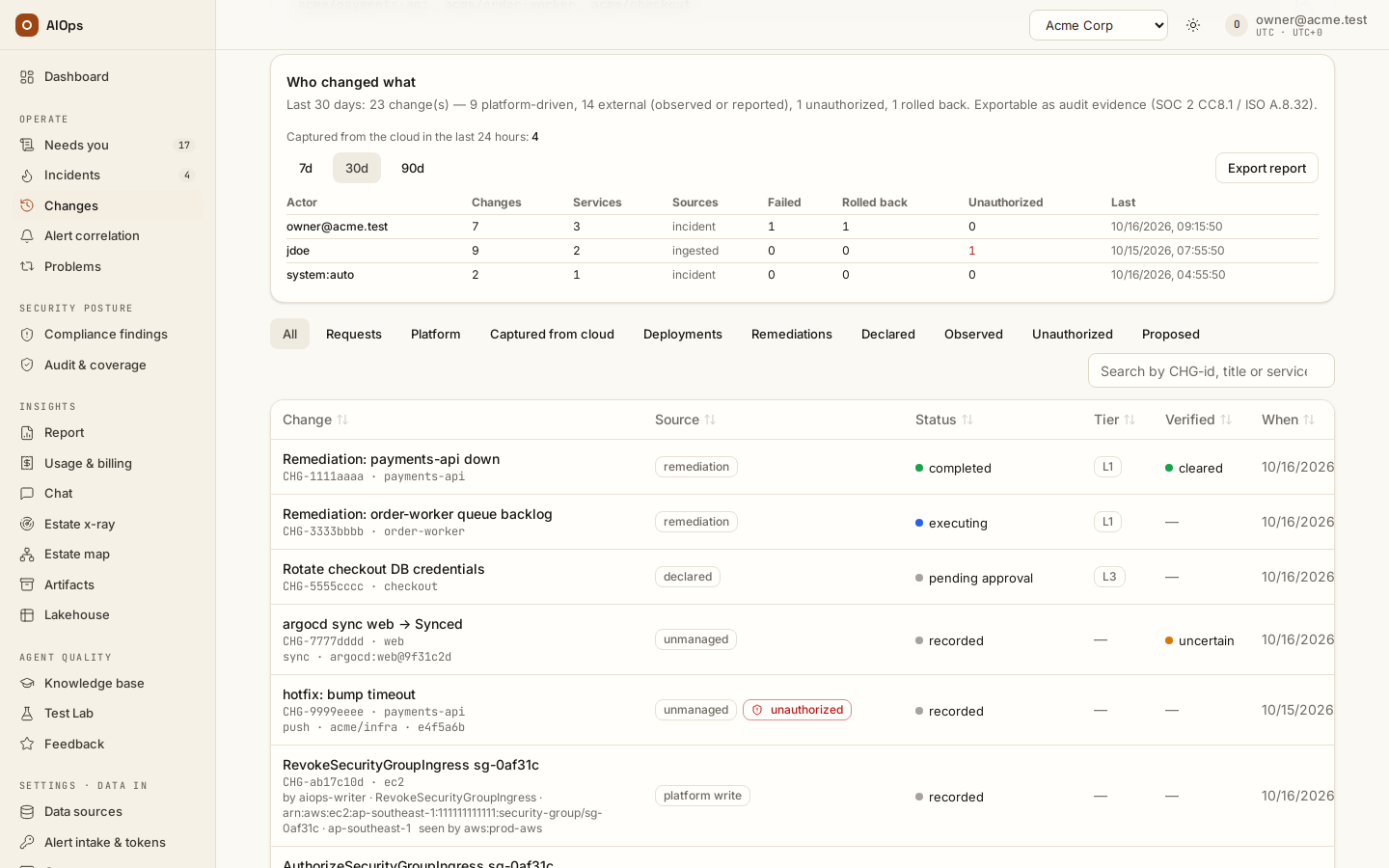
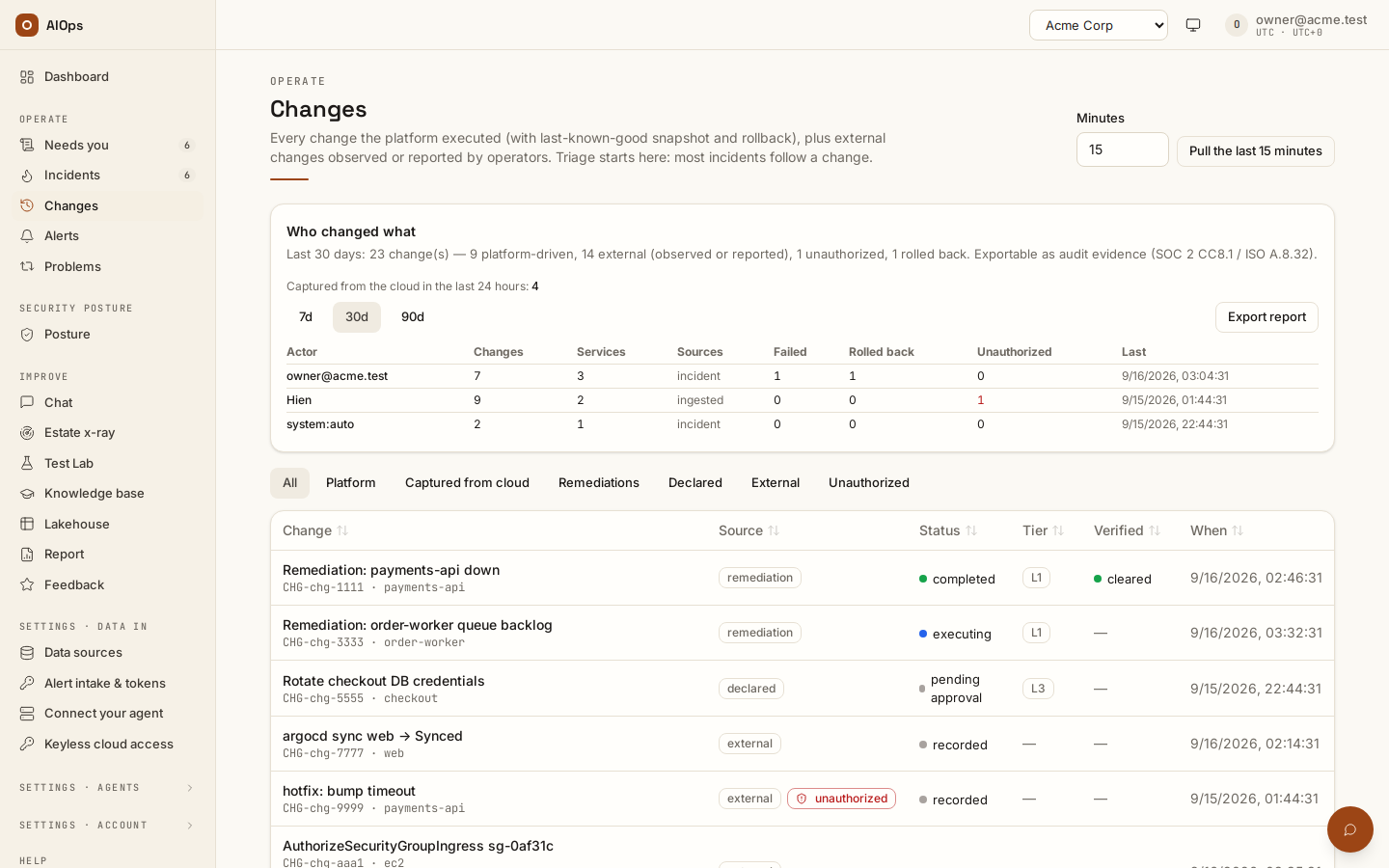
A walkthrough with English narration and synchronized captions: pulling the last minutes of the cloud audit log from the connections you already have, the receipt that pull produces, one captured change, and a control check a change triggered. It is a guided tour of those screens, not a click-by-click tutorial. Recorded on the restored portal with sample data; these clips demonstrate the controls and do not prove real-cloud operation.
Video: Compliance without alerts: the cloud audit log, a captured change and the control it breaks — Watch (1 min) · Captions
Recorded 16 Sep 2026 on 0.1.74 — the page has changed since; see Changes captured from your cloud audit log.
Every read-role AWS and Azure connection also pulls your cloud's own audit log into this ledger, so Changes holds changes the platform never made — an operator at a console, a pipeline, a script. AWS reads CloudTrail write events; Azure reads the Activity Log's succeeded administrative writes plus one Resource Graph query for the before-and-after property diff. It runs about every 15 minutes. The first pull looks back one interval only: there is no historical backfill. A new incident about one resource also pulls the last 30 minutes at once and again 5 minutes later (one pull per workspace per 2 minutes, so a storm costs one), and the agent's first prompt waits up to 20 seconds for it; a ranked change the ledger records after the analysis started is handed to it before it may finish. Write-role connections are never read this way.
Narrow the list with the Captured from cloud filter. A captured row names the caller, the operation, the resource and its region or resource group. The Observed filter lists every change the platform recorded but did not execute — captured from the cloud audit log, or reported by a webhook or an operator — and each row's source badge and page say what it is, from who made it. A change made outside the platform is an unmanaged change: its badge reads unmanaged and its page Unmanaged change — made outside the platform and who made it. A captured write made with one of this workspace's own connection credentials reads platform write when a platform record accounts for it within 10 minutes — a change whose step targets the same resource, a route change naming the resource or its service, an action a person approved inside an analysis, or a scanner suppression the platform wrote or lifted — and platform credential when none does. A write whose receipt carries the provider's request ID is folded into its own change and never becomes a row; an Azure, S3 or JSON-protocol receipt carries none, so those writes show as platform write rows. A sync, merge or push of the revision a platform pull request merged reads platform deployment and names that change. The switches on Guardrails → Unmanaged changes flag a write made with the platform's credential that no platform record accounts for, and re-check every control the changed resource maps to. The Deployments filter is the other external view: the pushes, merged pull requests and GitOps syncs your repositories and Argo CD reported, each row naming the event kind, the repository and the commit sha. Every value the cloud returned is masked for secrets and redacted for personal data before it is stored, and the operator's IP address is not stored at all.
A captured change's own page carries a config chip when it is an application-configuration write — SSM Parameter Store, Secrets Manager, AppConfig, Lambda, ECS and EKS settings, RDS parameter groups, App Service settings, App Configuration and Key Vault, or a setting an application reported to the change webhook — and a Linked services card: the services the change is linked to and why, from the workspace resource map, the resource itself, or the App Service site its settings belong to. The Probable cause ranking matches a captured change through those links and its resource, never through the cloud service that logged it (see Linking captured changes to your services in the Datasource configuration guide in the delivered documentation).
What the change agent watches sits next to that pull and answers the coverage question before an incident asks it: which cloud connections the audit-log pull reads, and, for each connected git provider, either the repositories it polls or an explicit "not watching any repository" with a link to the connection to fix it. Repositories that were named but cannot be polled — a pattern the provider does not accept, or a write-role credential the harvest never reads — are listed with the reason, as is anything past the twenty-five-per-connection limit. Below that are repositories you could add, each with the reason it was suggested: used by a remediation route, already mapped to a service, or recorded by the estate x-ray. Those are a hint to copy, never something already applied — a repository is polled only once it is saved on the connection.
To pull immediately, set Minutes (1–1440) in the page header and choose Pull the last N minutes. This needs pillars.manage. The Last pull card then reports what the pull cost you: connections read, changes recorded out of events read, how many matched a compliance rule, controls re-checked, incidents opened or joined with links to them, model spend and elapsed time. If a window was truncated it names the connection to re-pull with a shorter window. One pull at a time per workspace — a second click while one is running is refused, not queued.
An incident's Probable cause and Last known changes cards end with a Captured from line: each audit-log connection with its newest read, whichever came last — the scheduled pull, the pull when the incident opened or Pull the last N minutes — so a list that is empty reads as nothing in what we can see, not nothing changed. The agent's own prompt states the same read time. A connection not read for twice its interval says so, and when no AWS or Azure connection has been read in that time the cards and the prompt also list cloud control-plane writes as not captured.
On AWS the before-state of a captured write comes from AWS Config when config_history: true is set on the connection: the configuration Config captured at or before the write's own time, asked for by that time, so a resource rewritten several times afterwards keeps it. The state after the write is read first. When that is Config discovering the resource (a create, or recording began after the write), there is nothing older to find, and the row says Config captured the resource only after the write instead of claiming a recorded empty state. Otherwise the look-back reads back: Config answers one read for at most 7 days, so an empty answer pages back, up to four reads — 28 days. Every read counts against the pull's limit of 50 Config reads per connection. An AWS write with no before-state says why in its Before state card: No before-state captured (AWS Config history is off for this connection)., or, with history on, the pull's own reason (the call was denied, no Config resource type is mapped for it, the lookup cap was reached, Config has not recorded the resource, or AWS Config holds no configuration item in the 28 days before this write).
A compliance check a change triggered
Each captured change is matched against deterministic rules for the six cloud-estate controls: backups, public storage, world-open security groups and NSG rules, encryption at rest, cloud audit logging and IAM hygiene. A match opens nothing by itself. The control's own probe re-runs against your estate, and only a failing probe lands anything. A matched row carries a compliance · EST-0x chip that links to the incident once one exists. With Re-check every control an unmanaged change touches on (Guardrails), an unmanaged write also re-runs every check its resource kind maps to and every other rule it matched; each such check shows as a re-checked · EST-0x · <verdict> chip, and a check re-run only for the resource kind never names the change as the cause.
When a captured change undoes a platform fix. The platform links the two records when a captured write's own recorded call shows a condition that a completed platform fix cleared, on the same security group, NSG or storage account, within 14 days after the fix. Two cases qualify: a rule that lets the internet in on any sensitive port (not only the one the fix closed), written to a security group or NSG after the platform revoked or deleted such a rule there; and anonymous blob access turned back on for a storage account after the platform disallowed it. Turning on public network access alone does not count. The captured row carries a reverts CHG-… chip. The fix gains an undone by a later change chip and a timeline entry Undone by a later captured change naming the captured change, when it happened and who made it. Both pages name the control the write matched, which can differ from the finding the fix was raised for. Linking changes no status, and both links are written to the audit log. A fix that covered several resources is linked once for each resource: its note names the first such change and how many more resources were undone, and its timeline lists every one. Nothing is linked when the write's details are incomplete or do not show the whole rule (on an NSG its access, direction, source and port; on AWS an ingress call with its port), it names no resource, the last platform write on that resource did not complete, a platform change on that resource (or one that names no resource) finished within 10 minutes after the write, since the write may be the platform's own, or the fix was already undone on that resource. Changes reported to a webhook are never linked.
A failure opens the control:<id> compliance incident, or joins the open one if that control is already failing. It is listed under Security posture → Posture, not in the operational Incidents table. The incident carries Changes that triggered this check — the causing changes, newest first, each linking to its ledger row — and its body says it was detected from a captured change and quotes the control's catalogue remediation hint. That hint is generic text, not a plan for your estate: a reviewed plan comes from opening a change, and compliance holds no write path of its own.
When a scanner finding follows a captured change. The cloud's own scanner (Security Hub, AWS Config, Defender for Cloud) re-evaluates a control on its own trigger, and the scanner pull brings a failing finding in as a compliance incident — this works whether or not the platform's own checks are offered. The platform then names the outside write on that incident: an unmanaged change (one no platform request, approval or execution receipt accounts for) on the finding's resource in the 24 hours before the finding started failing, and after it last passed, is listed under Changes that triggered this check, and the incident's timeline gains Captured change named on this finding with the change, when it happened and who made it. The change gets a re-checked by Security Hub · EC2.19 · failed chip (the scanner and control of that finding) that links to the incident, and its timeline reads Scanner finding failed after this change. The order does not matter: a write the cloud audit log delivers after the finding — CloudTrail can lag by 15 minutes — is named when the next harvest records it. This is detection, not proof of cause: no status changes, and changes reported to a webhook, writes the cloud refused and the platform's own writes are never named. Only a control finding on a resource names a change: a vulnerability or threat finding, or one on a whole subscription, resource group or account, names none, and a tag-only write is named only on a tagging control. A finding the scanner saw failing more than 24 hours before the platform heard of it, such as the backlog of a newly connected account, names no change, and a fix the platform recorded but the scanner never passed starts no new failure.
Security posture → Audit & coverage → Frameworks summarises the same work under Checks triggered by a change (last 24 hours): controls re-run, changes that matched a rule, incidents opened or joined, and the model spend of the pulls behind them.
Suppress a flagged resource
A control:<id> incident for one of the six cloud-estate checks (EST-01 to EST-06) lists the resources its latest evidence flagged under Resources EST-0x flagged: one row per resource with its id, connection, region or subscription, port and source, and the probe's note. A resource several connections into one account see is listed once, from one connection, with also seen through the others; a suppression covers only the listed connection's copy (see Several connections into one cloud account). Suppressed rows carry a chip: suppressed until a date by its owner, suppressed after this scan (decided since the evidence landed) or suppression lapsed (expired or revoked since).
Tick the resources the business lives with and choose Suppress N selected… (Request suppression for N selected… with incidents.act alone, whose dialog is Request suppression — EST-0x). The dialog, Suppress — EST-0x, asks for a Reason (at least 10 characters — it is the register's record of why) and an expiry date, 90 days out by default and at most a year. It is sent as a request: nothing changes until an approver other than you approves it, from Operate → Needs you or Decisions; the notice says how many resources it asked for. Suppressing fixes nothing on the resource: every fix leaves it out, and each scan still records it as suppressed — never as a pass. When the suppression expires or is revoked, the next scan flags the resource again and re-opens the incident.
- Every flagged resource suppressed, once the last request is approved, closes the incident as suppressed (classification
risk_acceptedin the API). It is not marked as noise, verification is not muted, no fix is claimed and nothing is learned from it. The post-close check runs the control's own probe (no agent spend); a new resource that is not suppressed re-opens the incident. - Some suppressed leaves the incident open for the others, and the notice says how many are still open. While automatic compliance analysis is on and no analysis of the incident is running, it also starts a fresh analysis, so the new fix plan leaves the suppressed resources out; the notice then adds A fresh analysis started. Otherwise choose Re-analyse yourself.
- A plan drafted before a suppression cannot be released. Its review refuses it because a resource was suppressed after the plan was drafted; re-analyse for a plan that leaves the resource out. Until then the plan hides its targets and commands, the summary's Impact falls back to the control, and the newest root cause analysis report folds behind Show report.
- A live suppression offers Extend (the same dialog for that one resource — the new decision supersedes the old one once approved) and, with
approvals.decide, Revoke, which takes effect at once. - An execution still in flight on the incident keeps the decision but not the close; the page says why.
A suppression matches the resource as the probe saw it, including how exposed it was — a storage account reachable from any network is not the same resource key as one its firewall limits. If that changes, the next scan flags the resource again.
Each suppression is also a risk decision in Security posture → Audit & coverage → Decisions, the auditor's risk register, where it is badged own control with outcome suppressed, its Reason, owner, expiry, state and Revoke; the API and Export for auditor keep the outcome accept. It never counts toward the scanner score or the Coverage tab. The other controls have no per-resource identity to suppress. The portal has no Mark not applicable button: a control is set not applicable through the API — PATCH /api/aiops/{tenant_id}/compliance/controls/{control_id} with {"not_applicable": true, "reason": "…"} (pillars.manage, a reason is mandatory) — or the MCP tool override_compliance_control. Suppress this finding, which muted a change-triggered finding without expiry, was replaced in 0.1.95; the entries it wrote stop muting at the end of the workspace's suppression period (90 days by default) after they were set and are listed under Guardrails → Legacy muted findings until then.
Unauthorized changes: approve the rollback or keep the change
A change made outside the platform with no reference — no ITSM change ticket, no approval, no signed change request — can open its own incident. It is off by default: a busy account records thousands of writes a day made outside the platform.
- Put your CI/CD and automation principals on the allowlist first, through
PATCH /api/aiops/{tenant_id}(members.manage):{"settings": {"change_authorized_principals": ["arn:aws:iam::*:role/github-deploy-*"]}}. Optionally name your ITSM change-ticket fields (itsm_change_match) and the group the ticket goes to (unauthorized_change_ticket:{"assignment_group": "Change Management"}) — the Changes reference lists the defaults. - On Guardrails → Unmanaged changes, tick Open an incident for every change with no reference.
- The next pull flags each applied write nothing accounts for as Unauthorized and opens one incident per action — the same principal and account within 10 minutes — with a ticket to the group and no assignee. No analysis starts, and no pre-approved runbook, automatic fix or rollback ever runs on it.
- Open the incident. Its Unauthorized change card lists each change with why it was flagged, and Drafted rollback a revert per change, drafted from the recorded before-state (a manual step where none was recorded), status planned.
- Decide, with
approvals.decide:- Approve rollback opens the revert's change page: review the exact action, approve and release it like any change; its validation follows. A revert with no typed step shows Open the command instead: run the command on its change page with your own access, then Mark resolved.
- Keep this change (legitimate) asks why. Keep the change and close rejects the drafted rollback, marks each change authorized by you with your note, and closes the incident as expected.
You should see the unauthorized badge on the change link to its incident, and after a keep the change counted as authorized in Who changed what.
A call the cloud refused is unauthorized access, not a change: while Report denied access attempts to SecOps is on (the default) and the SecOps agent is enabled, the denied attempts of one principal in one account open one SecOps incident per hour, at P3, whose Denied access attempts card lists the refused calls. Nothing changed, so there is nothing to roll back.
Next steps
- Change windows, emergency changes and rollback — windows, freezes and the rollback sweep.
- Changes reference — every ledger field, class and source.
- Verify recovery — the validation a completed change owes.